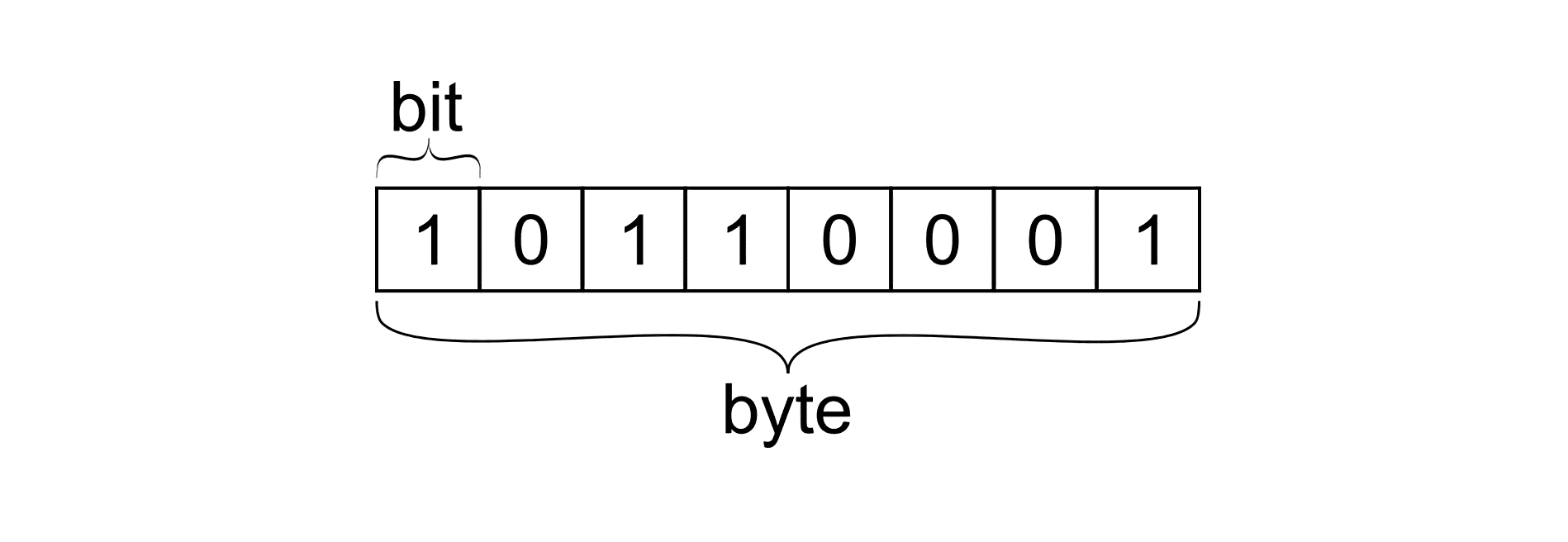
Eight.
Honestly, if you just wanted the quick answer to how many bits is a byte, there it is. It is eight bits. You can close the tab and go about your day. But if you're curious why your computer treats those eight little flickers of electricity as a single unit, or why "eight" wasn't always the magic number, things get weird. Computers are basically just millions of tiny switches. On or off. 1 or 0. That's a bit. But a single bit can't tell you much. It’s like a light switch; it’s either dark or it’s not. To actually do something useful—like type the letter "A" or show a pixel of color—you need to group those switches together.
Today, we take the 8-bit byte for granted. It’s the bedrock of everything from your iPhone to the server running this website. But the history of computing is messy. In the early days, a "byte" was just whatever size a specific hardware designer felt like making it.
The messy history of the 8-bit standard
Back in the 1950s and 60s, there was no law saying a byte had to be eight bits. Some systems used six bits. Others used nine. Some even used twelve. If you were working on an IBM 7030 Stretch supercomputer in 1956, you’d find that the term "byte" (coined by Werner Buchholz) could refer to anywhere from one to six bits depending on the task. Imagine trying to share a file between two computers today if one thought a byte was six bits and the other thought it was eight. It would be total chaos.
So, why did we settle on eight?
It mostly comes down to the IBM System/360. In the mid-60s, IBM was the undisputed king of the mountain. When they decided that their new architecture would use 8-bit blocks, the rest of the industry eventually had to fall in line just to keep up. It was practical. Eight bits gives you $2^8$ combinations, which is 256. That’s enough to fit the entire English alphabet (both upper and lowercase), numbers, punctuation, and a bunch of control codes.
Binary math: Why your 1TB drive looks smaller
Have you ever bought a "1 Terabyte" hard drive, plugged it in, and felt cheated because Windows says you only have 931 GB? You aren't being scammed, but you are caught in a tug-of-war between two different ways of counting.
Hard drive manufacturers love the decimal system. To them, a kilobyte is 1,000 bytes. It’s clean. It looks bigger on the box. Computers, however, live in a world of powers of two. To your operating system, a kilobyte is actually 1,024 bytes ($2^{10}$).
When you ask how many bits is a byte, the answer is always eight, but as you scale up to Megabytes, Gigabytes, and Terabytes, that little 24-byte discrepancy starts to snowball. By the time you get to a Terabyte, the difference between the "decimal" version and the "binary" version is about 70 gigabytes. That’s a lot of lost photos. This is why technical organizations like the IEC tried to introduce terms like "Kibibyte" (KiB) to represent the 1,024 version, but let's be real—nobody actually says "Kibibyte" in conversation.
The bit vs. byte confusion in internet speeds
This is where people usually lose money or get frustrated with their ISP. Internet service providers almost always advertise speeds in bits, not bytes.
If you pay for a "100 Mbps" connection, you might think you can download a 100 MB file in one second. You can't. Not even close. "Mbps" stands for Megabits per second. To find out your actual download speed in Megabytes (MB/s), you have to divide that number by eight.
- 100 Megabits / 8 = 12.5 Megabytes per second.
That is a massive difference. If you're downloading a 50GB game on a 100Mbps line, it’s going to take over an hour, not eight minutes. Always look for the capital "B." Capital B is for Byte (the group of 8), and lowercase b is for the individual bit.
What happens inside the hardware?
When you press a key on your keyboard, a controller chips sends a signal to your CPU. Let's say you hit the "h" key. In the standard ASCII encoding system, "h" is represented by the decimal number 104. But your CPU doesn't know what 104 is. It sees 01101000.
That string of eight ones and zeros is the byte.
Inside the processor, these bits are handled in groups called "words." Modern computers are "64-bit," which basically means the processor can grab and process eight bytes at a exact same time. It’s like having a wider highway. A 32-bit computer could only handle four bytes at once. This jump is why modern computers can use massive amounts of RAM, whereas older 32-bit systems were capped at about 4GB.
Why don't we use 10 bits?
It seems like it would make the math easier for humans, right? If a byte was 10 bits, we’d be in decimal heaven.
The problem is that transistors are binary by nature. They are either conducting or they aren't. Designing a system based on powers of two is vastly more efficient for the physical hardware. If you tried to force a base-10 system onto binary switches, you'd end up with "wasted" states or incredibly complex circuitry that would run hotter and slower.
Eight is the "sweet spot." It’s a power of two ($2^3$), it’s large enough to hold complex character sets like UTF-8 (which uses multiple bytes for emojis and non-Latin characters), and it’s small enough to be processed quickly.
Real-world impact of the 8-bit limit
Back in the day, memory was so expensive that programmers had to fight for every single bit. This led to things like the Y2K bug. Engineers saved space by only using two digits for the year (99 instead of 1999). They were trying to save bytes.
In modern gaming, you see this with "8-bit" aesthetics. When people talk about 8-bit graphics, they’re referring to the color depth. An 8-bit color system can only display 256 different colors. Compare that to "24-bit True Color," which uses three bytes (one for Red, one for Green, one for Blue) to create over 16 million colors.
Taking action: Managing your digital life
Understanding how many bits is a byte isn't just trivia; it helps you troubleshoot your own tech.
First, check your data cap. If your mobile provider says you have a "limit" and mentions bits versus bytes, do the math. Usually, data plans are sold in Bytes (GB), but speed tests are shown in bits (Mbps).
Second, if you're a creator or someone who moves large files, always use the 8:1 ratio to estimate transfer times. If you have a 1Gbps fiber connection, your theoretical max transfer speed is 125MB/s. Factor in "overhead"—the extra bits used for packaging and addressing the data as it moves across the web—and you’re likely looking at 100-110MB/s in the real world.
Finally, recognize that the "Byte" is evolving. While the 8-bit byte is the standard, we are moving toward a world where we deal with Petabytes and Exabytes. The fundamental unit remains the same, but our ability to stack those eight bits into massive structures is what allows for AI models, 8K video streaming, and global real-time communication.
Stop thinking of your files as "stuff" and start seeing them as trillions of sets of eight. It makes the sheer scale of modern technology much more impressive.
If you want to dive deeper into how your specific computer uses these bits, look into your system's "Word Size" in the BIOS or system information. It’ll tell you exactly how many of those 8-bit bytes your CPU can juggle in a single clock cycle.